


Best Shopify Themes for Kids & Baby Clothing Stores (2026)
Parents shop by age, need the right size for each piece, and often buy the whole outfit. We compared 9 kids and baby clothing themes on how well they handle that, using prices and reviews from the Theme Store.
Parents are buying for someone else. They shop by age rather than S, M and L, and they often buy a whole outfit at a time. The right theme makes all three of those easy.
Most of the kids themes on the Shopify Theme Store are general fashion themes with a kids demo, a size chart and an age verifier added on. Very few list features built around how parents actually shop, and that gap is what this guide looks at.
Short answer: for outfit-led and story-led kidswear brands, we'd pick Fable. At $170, it's the only preset in the $170 to $180 range with a real review history: 99% positive across 266 reviews (that's Blum-wide), while Poppy, Andie, Snugly and Bavery have between 0 and 3 reviews each. It isn't the cheapest option, though. Totsy and Lumora both cost $100.
Our shortlist by need:
- Whole outfits and shop by age: Fable
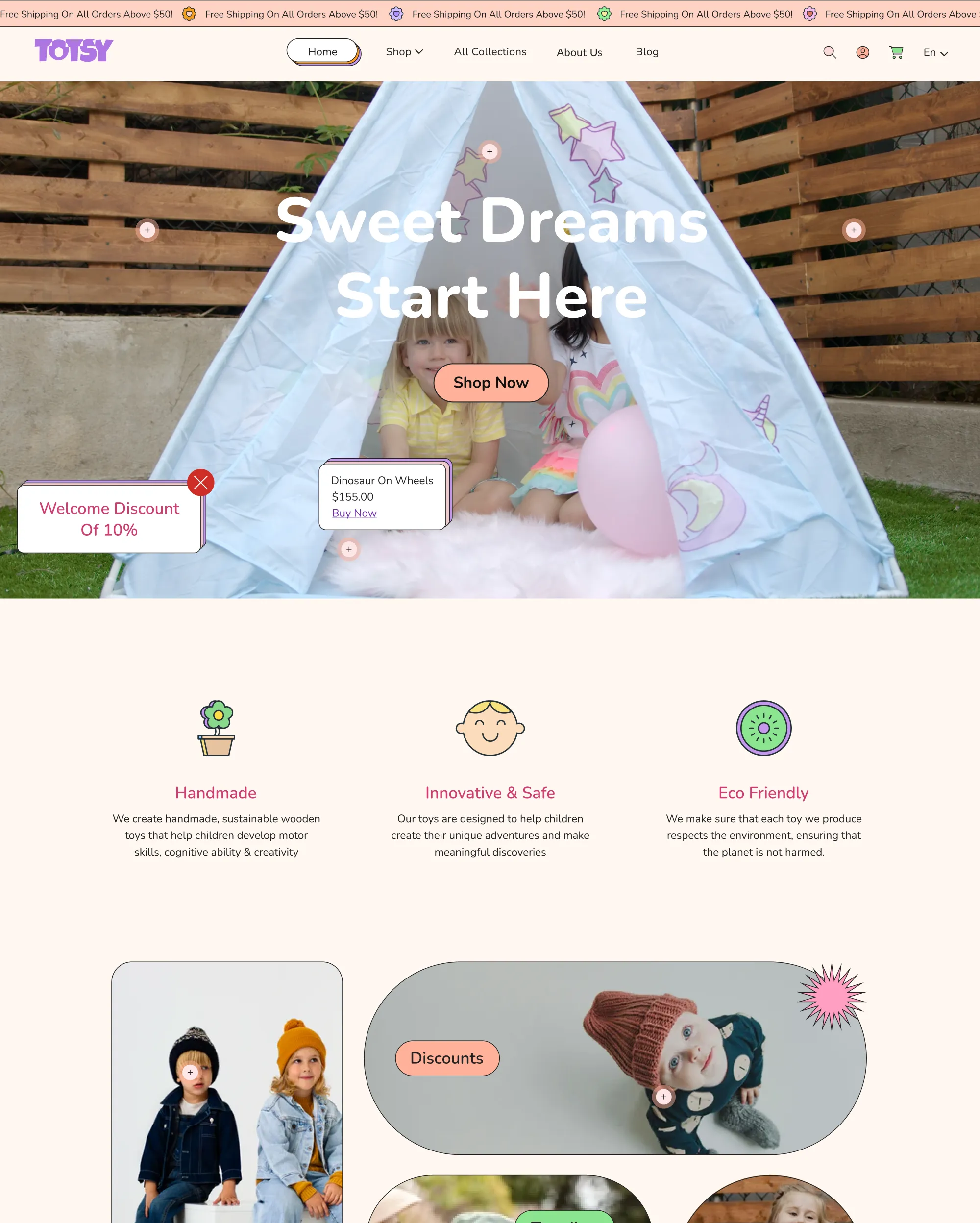
- Budget, toys plus clothing: Totsy
- Gifts and personalisation: Treasure
- Storybook layouts: Kinderly (one review, so test it hard)
A quick disclosure: we built Fable, so weigh our pick with that in mind. Everything we say about the other themes comes from their own Theme Store pages, checked on 2026-11-10.
What a kids clothing theme has to do
Demo photos don't tell you much. These five jobs tell you a lot more.
1. Shop by age and size. Parents rarely start with style. They start with "what fits a 2-year-old?" So look for age rows on the home page, size or age filters, and an age range on each product card. A size filter tucked away in a sidebar doesn't count.
2. A size guide where the size gets chosen. Sizing is what parents worry about most on a kids product page, so the guide should open from the product page itself, not live on a separate policy page. Most themes list a size chart popup, but you still have to write the chart. Our walkthrough on how to add a size chart in Shopify covers that part.
3. Selling looks and sets. Kids clothes get bought as outfits, and sizing is where that gets awkward. A child wearing a 3 to 4 years top with 4 to 5 years trousers is completely normal. A theme that lets parents choose a size for each piece and then add the whole outfit at once saves a lot of clicks. Watch out for one-button "add all" blocks that skip the size choice, because that's a different feature.
4. Room for brand story and materials. Parents want to know what the fabric is and who made it, and small kidswear brands win sales on exactly that. Check for editorial sections, image-with-text blocks and space for care and material details.
5. Mobile first. Parents tend to shop in short bursts, usually on their phone. Open the demo at 390px wide and try the size picker, the cart and the menu with one thumb.
Here's how the main options compare on those five jobs.
Kids and baby clothing themes compared
Prices and ratings come from each theme's Theme Store page on 2026-11-10. Review counts cover the whole theme family, not just the preset. When we say a theme "lists" a feature, we mean it appears on the preset's page. A theme might still have a feature its page doesn't mention.
| Theme (developer) | Price | Rating (reviews) | Built for | Kidswear features listed |
|---|---|---|---|---|
| Fable (Blum, eComX) | $170 | 99% (266, Blum-wide) | Outfit-led and story-led kidswear brands | Size per piece outfit add to cart, shop by age rows, size tiles in the mega menu, age range on every product card, arch-shaped images, handwritten notes |
| Poppy (Gumdrop, Boostify) | $170 | No reviews yet | Bright, playful brands | Size chart, quick buy, gift wrap, pre-order, lookbooks |
| Snugly (Snazzy, ShopiDevs) | $180 | 100% (2) | Baby and kids stores | Size chart popup, curated outfit block with one-button Add All to Cart |
| Totsy (Toyo, MUUP) | $100 | 95% (20) | Toys and kids clothing on a budget | Size chart, quick buy |
| Tinki (Flux) | $300 | 100% (40) | Playful kids and baby brands | Size chart, gift wrap, back-in-stock |
| Kidu | $320 | 100% (25, Kidu family) | General kids stores | Size chart, usage info |
| Carnival (Koto) | $290 | 100% (38) | Modern kids stores | Age filters |
| Treasure | $400 | 94% (51, family-wide) | Gifts, toys and clothing | Personalisation without an app, bundles |
| Kinderly | $350 | 100% (1) | Storybook, parent-first stores | Storybook layouts, touch-friendly navigation, eco badges |
Andie and Bavery sit in the same price range but don't list any kids features, so we left them out.
Two things jumped out at us. Only Fable and Snugly list an outfit-level add to cart. And Fable was the only preset we checked that lists both a size-per-piece outfit cart and shop-by-age rows.
Fable (Blum): for brands that sell the whole outfit
Fable is a preset of Blum, so buying Blum gets you every preset, Fable included. It's the one we designed for kidswear.
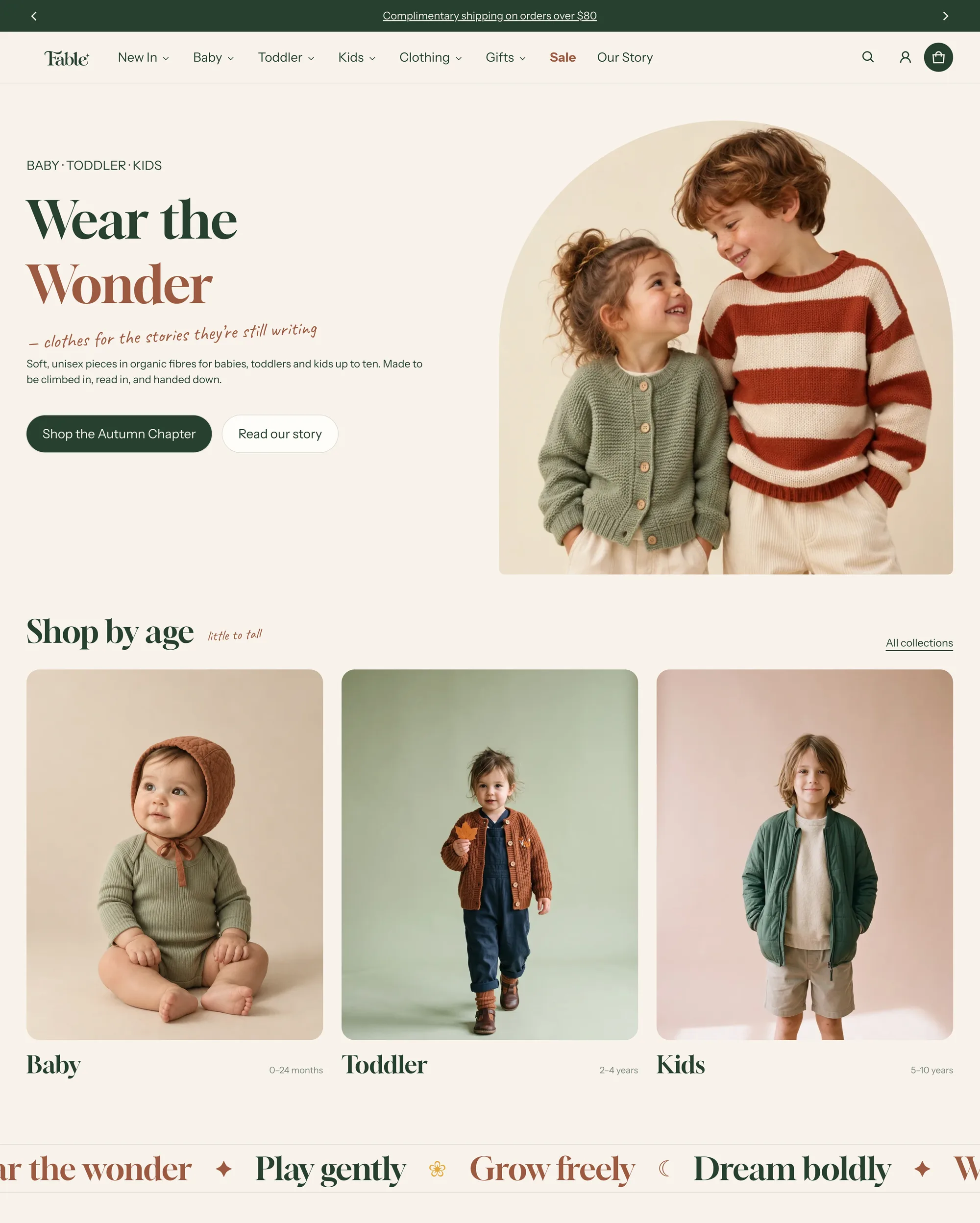
Blum costs $170 and has a 99% positive rating across 266 reviews. That rating covers the whole Blum family, not Fable on its own. Blum ships with a 95+ Lighthouse score.
We built Fable around two ideas: selling the whole outfit, and telling the story behind the clothes.
Outfit-led
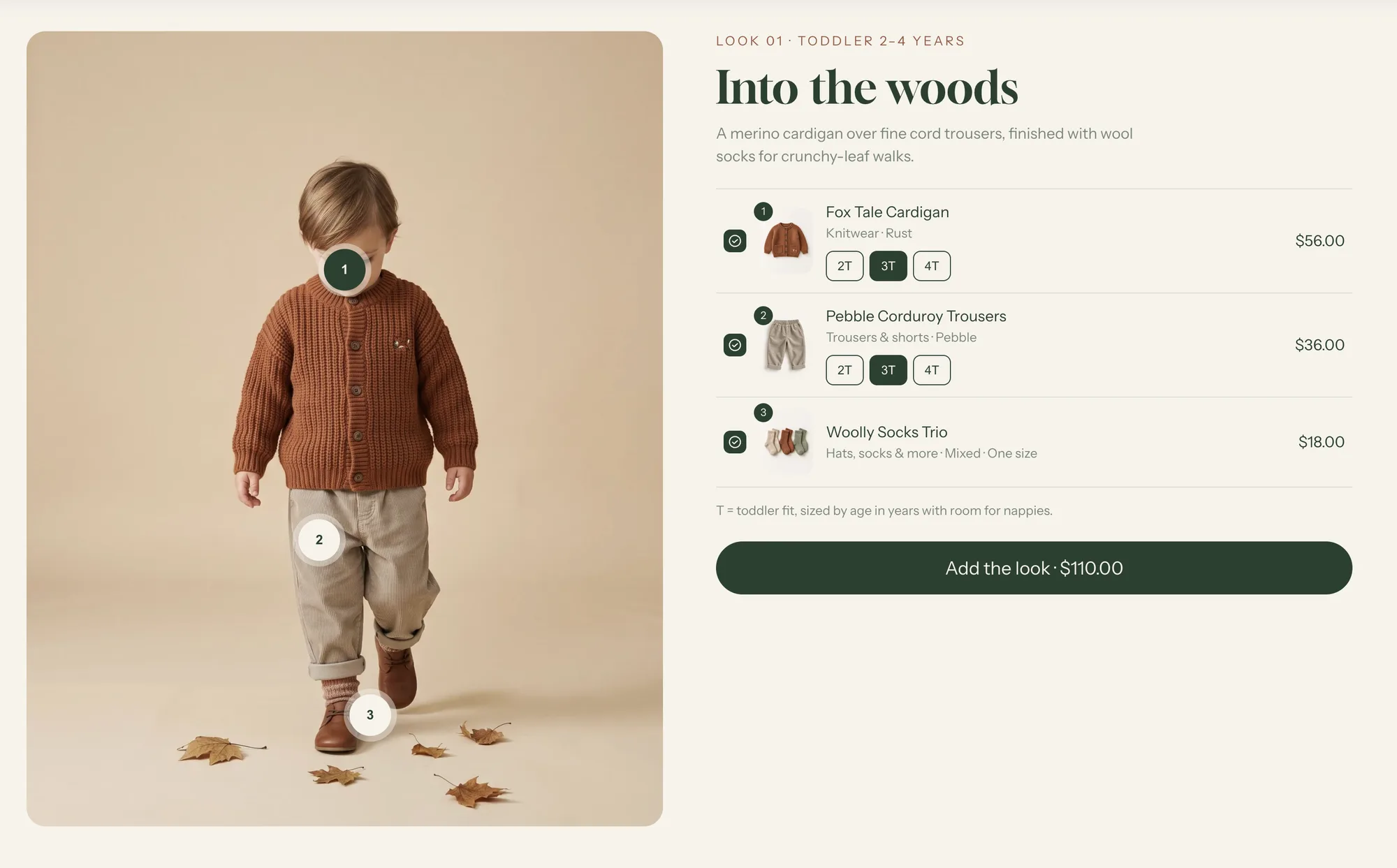
- Shop the look. Parents choose a size for each piece, then add the whole outfit in one go.
- Complete the look suggestions on the product page.
- Pairs well with suggestions in the cart, set to the size the parent already has in the cart.
- Shop by age rows on the home page, size tiles in the mega menu, and an age range on every product card.
Story-led
- A storybook look out of the box. Arch-shaped images, italic accent words, handwritten notes and label-card menus.
- Editorial sections for materials and how things are made.
It's a better fit for small, considered brands than for discount stores competing on price.
What it won't do for you. Fable gives you the layout, but the content is yours. You'll enter the sizes, age ranges and size guide yourself, so set aside time before launch to build your looks, size options and size guide.
The full feature list is on the Fable page. If you haven't set up a size guide yet, our size chart tutorial walks you through it.
The alternatives, one by one
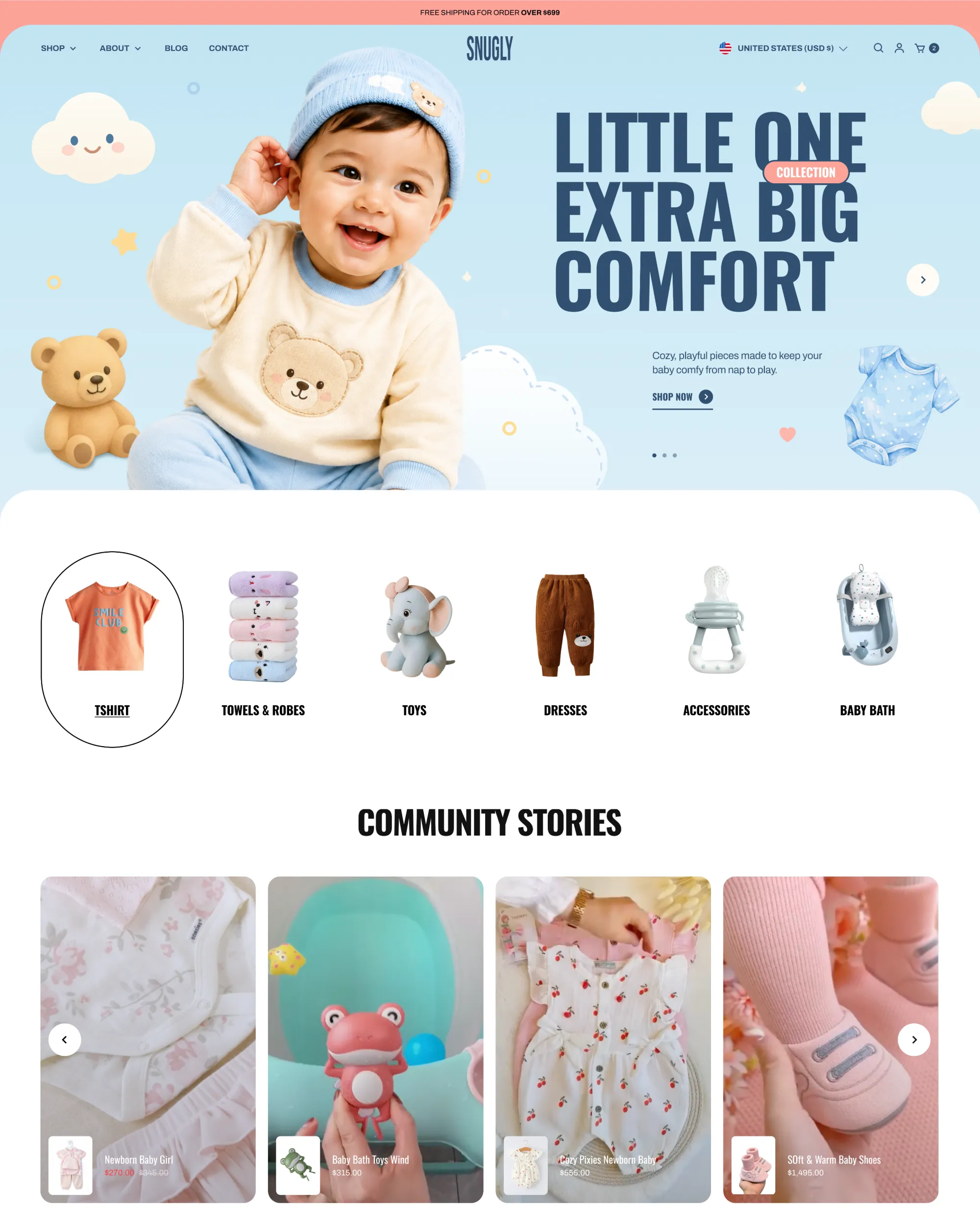
Poppy (Gumdrop, $170) is bright and playful. Its page lists a size chart, gift wrap, pre-order and lookbooks. It's a new preset with no reviews yet, and it doesn't list age-based shopping or an outfit add to cart. Worth a look if what you mostly want is a colourful brand feel.
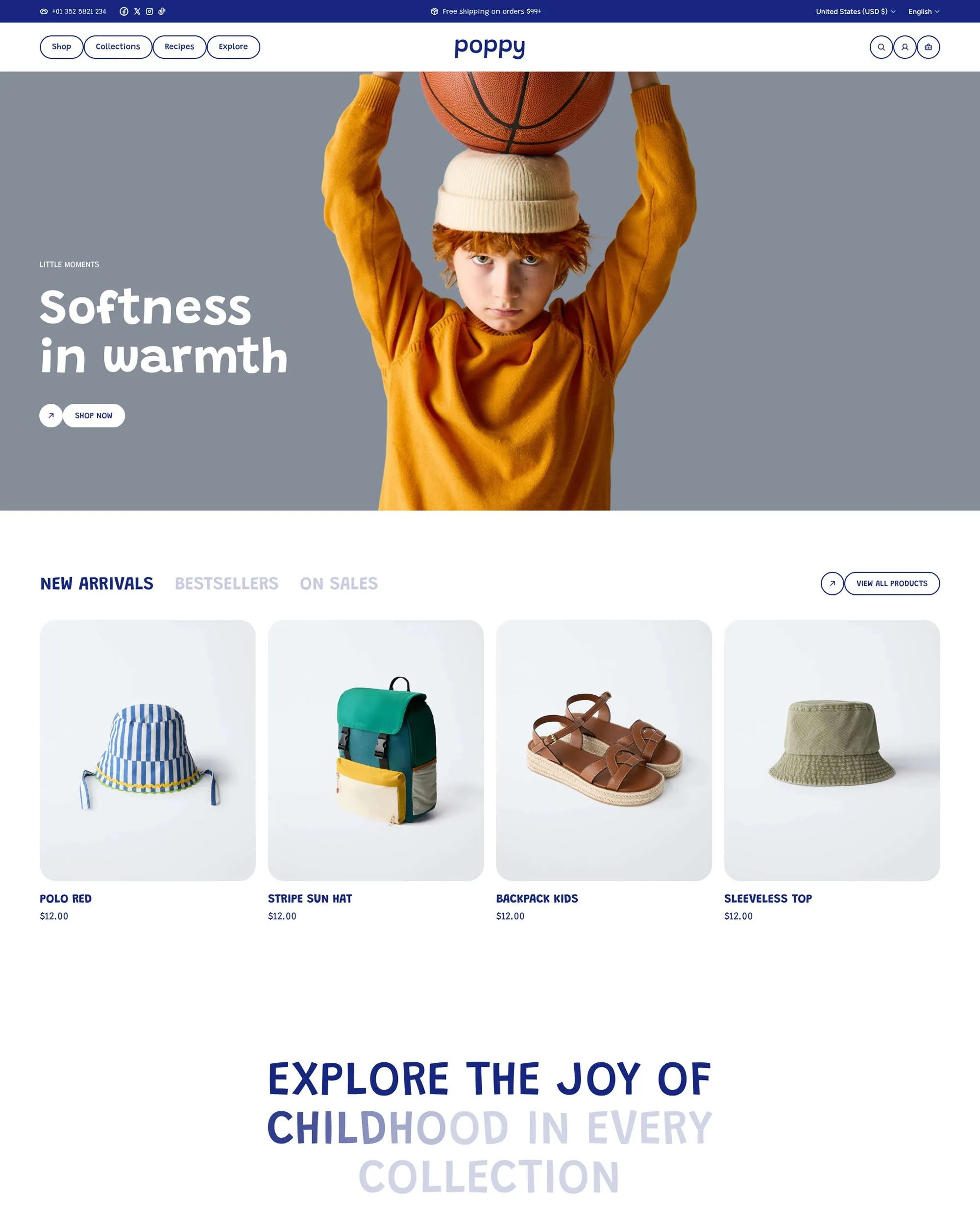
Snugly (Snazzy, $180) is Fable's closest rival on outfits. It lists a curated outfit block with a one-button Add All to Cart, plus a size chart popup, and it has 2 reviews. Its page doesn't say whether parents pick a size for each piece, and it doesn't list shop by age.
Totsy (Toyo, $100) is the budget pick if you sell toys and clothing together. It has 95% across 20 reviews and lists a size chart and quick buy, but no age shopping or outfit cart. With a mixed catalogue and a tight budget, it's a sensible place to start.
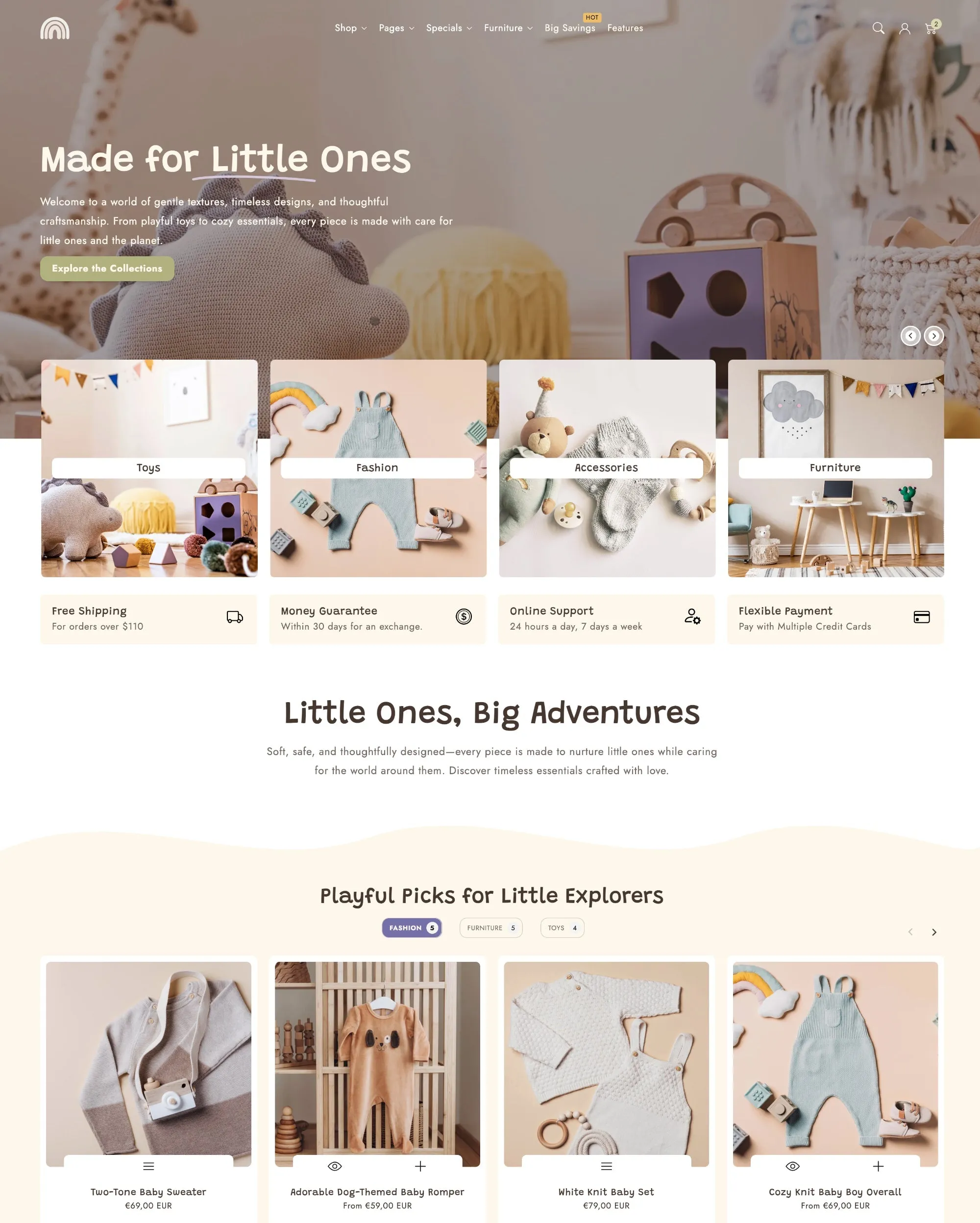
Tinki (Flux, $300) has a playful look for kids and baby brands. It lists a size chart, gift wrap and back-in-stock, and has 100% across 40 reviews. There's no age shopping or outfit cart on its page, and it costs $130 more than Fable.
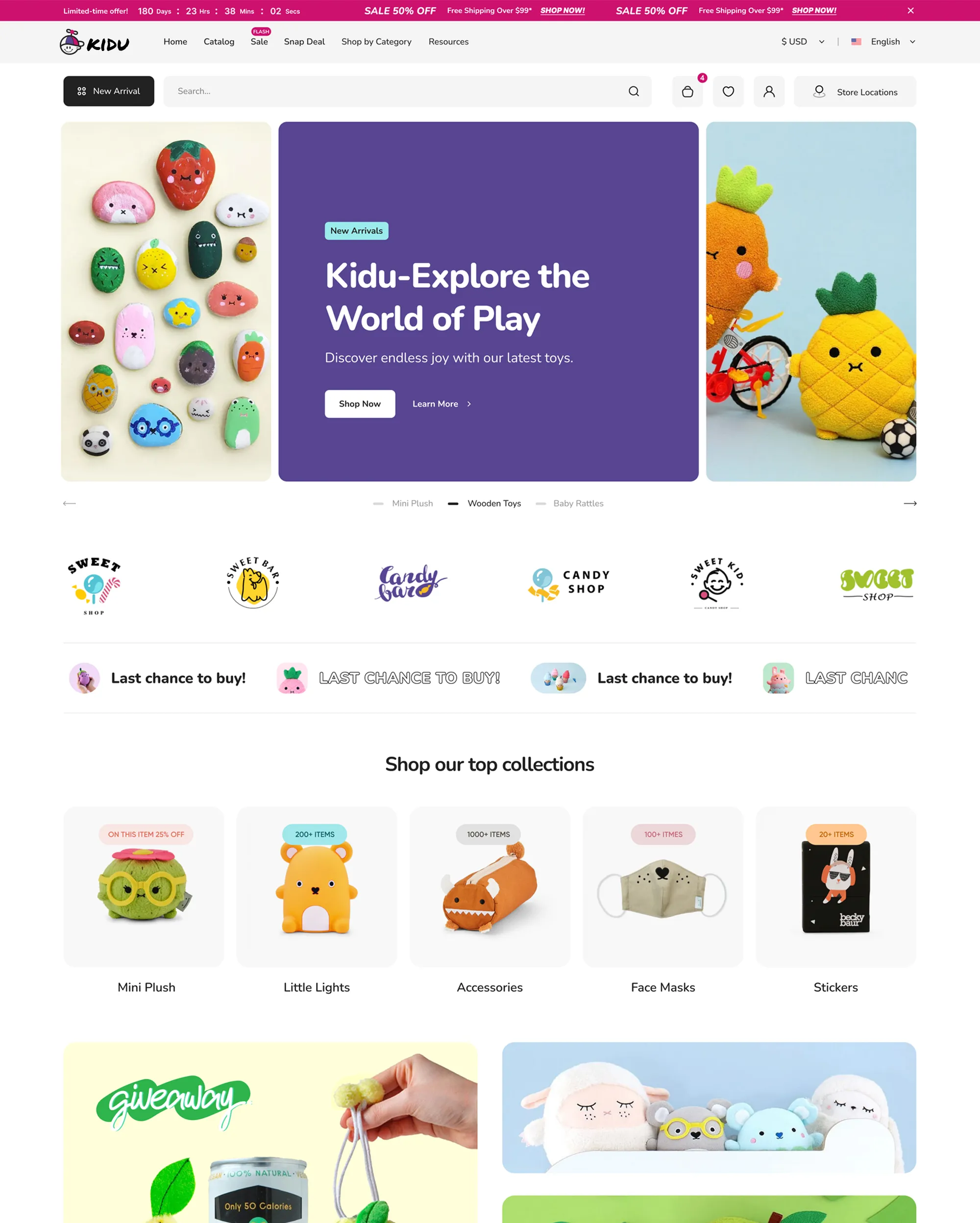
Kidu ($320) lists a size chart and usage info. Its 25 reviews (all positive) are shared across the Kidu family, and several family presets sit in the same category, so double-check which one you're actually buying.
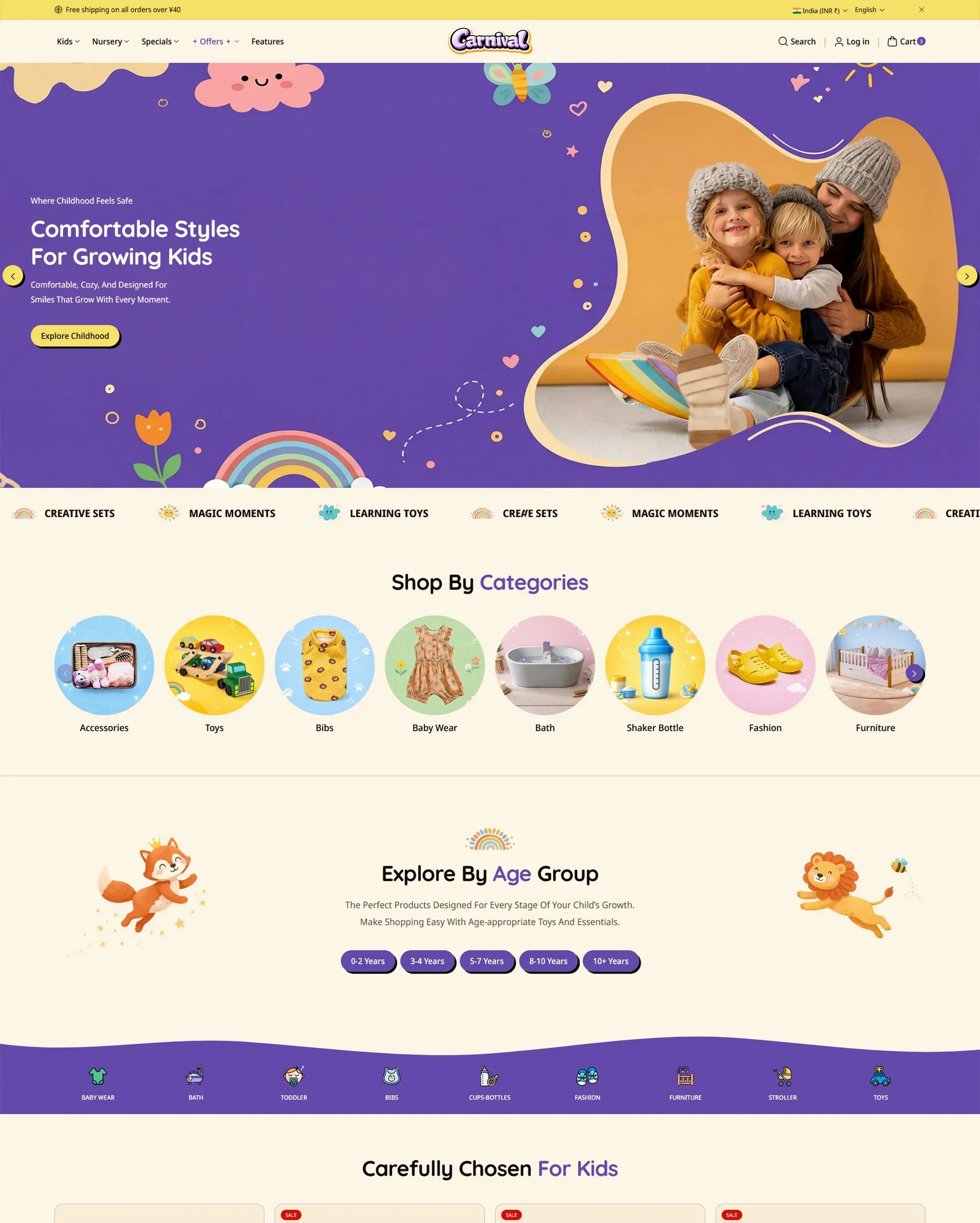
Carnival (Koto, $290) is a modern kids theme that lists age filters, with 100% across 38 reviews. Age filters help parents narrow down a catalogue, but they're not the same as age rows on the home page.
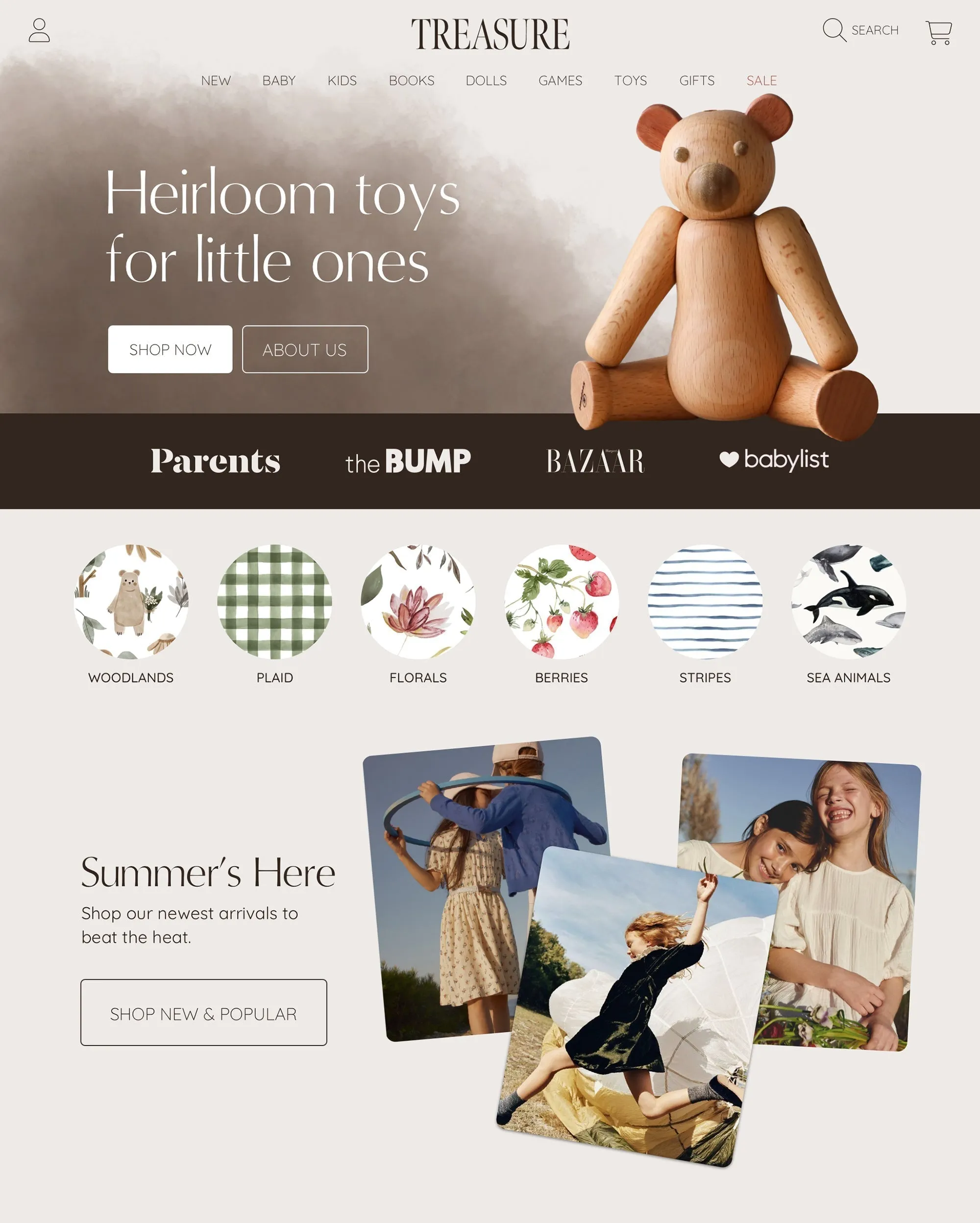
Treasure ($400) is the one for gifts. It lists engraving and monogram personalisation without an app, plus bundles for gift sets or toys sold with clothing. It has 94% across 51 reviews (family-wide). If you sell monogrammed blankets, it earns its price.
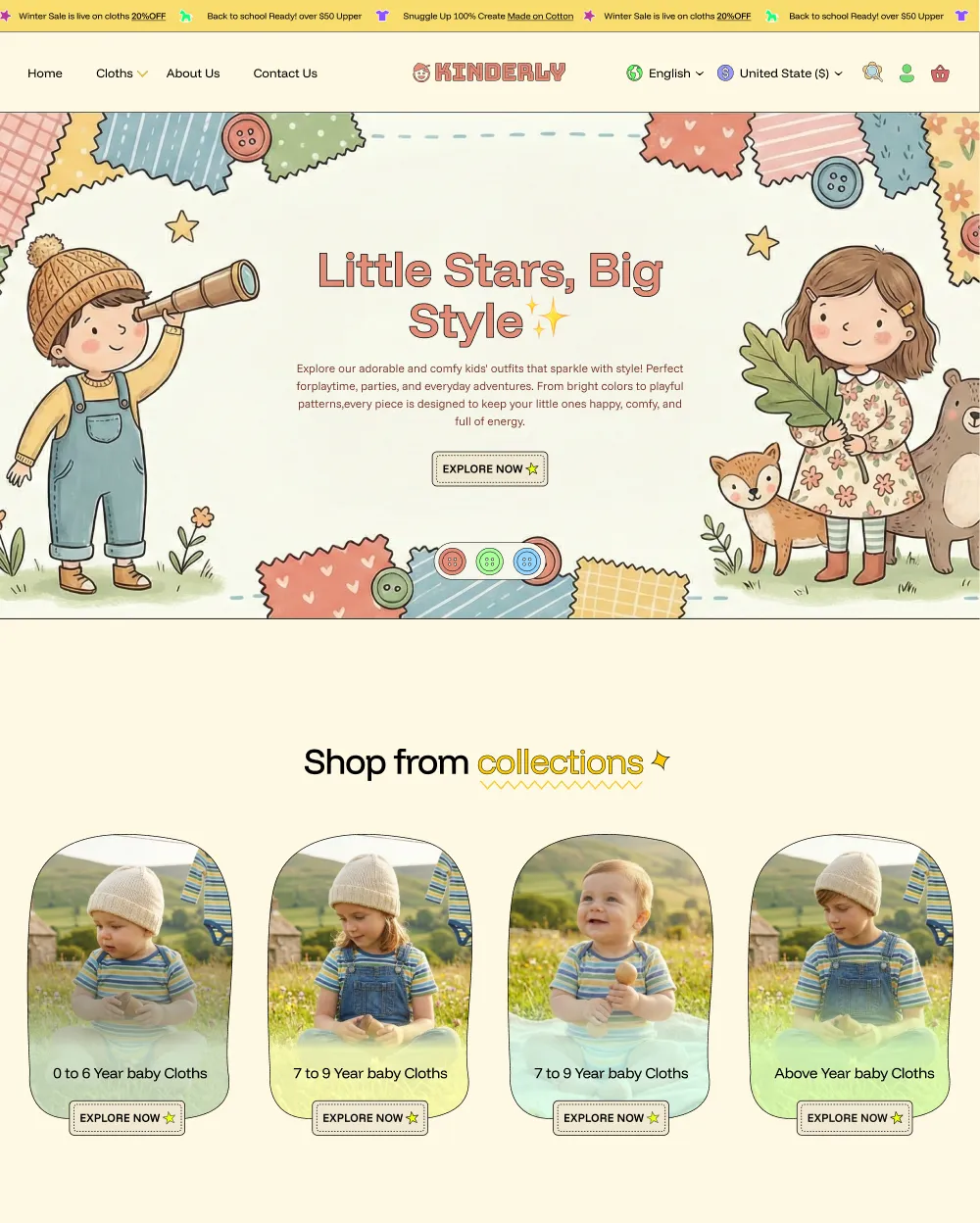
Kinderly ($350) offers storybook layouts, touch-friendly navigation and eco badges. It only has one review, so there isn't much of a track record yet. Preview it carefully before you commit.
How to choose
Pick the theme for the store you actually run, not the one in the demo.
- Outfit-led clothing brand: look for a size picker on each piece and an outfit add to cart. Fable and Snugly both list outfit carts, and Fable also lists shop by age.
- Baby essentials and nursery: you're selling sets, gifts and basics that parents reorder, so age rows, gift wrap and back-in-stock matter. Fable, Tinki and Poppy each list some of these.
- Gifts and personalisation: go with Treasure. Engraving and monograms without an app means one less subscription to pay for.
- Large catalogue, mixed products: Totsy is one of the two $100 options we found. Check how its filters cope with your product count.
Whatever ends up on your shortlist, try it before you buy. Shopify lets you try a theme for free until you publish it, so load your own products, your own sizes and a real outfit, then add it to the cart on your phone.
FAQ
What's the best Shopify theme for a baby clothing store?
It depends on how you sell. For outfit-led baby and kids brands, Fable lists shop by age and a size-per-piece outfit cart for $170. If you're starting on a budget and selling toys alongside clothing, Totsy costs $100. For gifts and personalisation, look at Treasure.
Is there a free Shopify theme for kids clothing?
Free Shopify themes can work for a small kids store, but we didn't audit them for this guide. Check each demo for outfit blocks and age navigation. If they're missing, you'll need apps or manual collections to cover looks and shopping by age.
How much does a kids Shopify theme cost?
Going by the table above: $100 for Totsy, $170 for Fable and Poppy, $180 for Snugly, $290 to $320 for Carnival and Kidu, and $300 to $400 for Tinki, Kinderly and Treasure. Themes are a one-time purchase on the Theme Store, but check the price on the day you buy.
Can parents add a whole outfit to the cart at once?
Yes, if the theme supports it. Some themes list an outfit block with an add-all button. Fable adds a size picker to each piece, so parents choose sizes first. Our guide on how to sell kids clothes on Shopify covers age sizes, size guides and selling outfits as sets.
Try Fable on your own products
Everything Fable does is on the Fable page. When you're ready, try it free from the Shopify Theme Store with your real catalogue before you publish.
More from the blog
Ready to convert more?
Stop leaving revenue on the table.
Your theme is the highest-leverage conversion tool you have.